Scene, Cup and Leagues
SiN Panzer War - Special Event
Published in
ET Scene
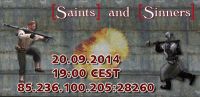
Hey ho all Panzer maniacs!
On saturday 20.9 @ 19.00 CEST we're having a pnaz..pers..pzaer..panzer special event. Maybe a couple of beers or sodas to go with the event? Of Course! Lock your self in the house, throw away the key, prepare pizzas,beers,sodas, pants and helmets, coz we're getting crazy with the panzers!
Invite all your friends, parents, pets, granparents and why not even your imaginary friends! ;-) And of course some crazygravity also! :D
Invite all your friends, parents, pets, granparents and why not even your imaginary friends! ;-) And of course some crazygravity also! :D
Ip is: 85.236.100.205:28260
Welcome!
ETF Easter Weekend Gaming Event
Published in
ET Scene
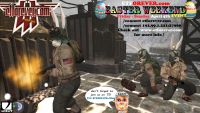
We're having another gaming event @ ETF during Easter Weekend!
Please join us this Easter Weekend for a frag event. We will be rounding up a lot of regulars and and ET gamers from different clans and gaming communities.
Connect from console via domain name or IP:
/connect etforever.com
/connect 192.99.1.221:27960
Map Listing for this event is posted on the main page of our forums: www.etforever.com
Teamspeak will be live and cranking @ ts3.etforever.com
We hope to see you there!
Source: etforever.com | wolffiles.de
ET Forever Thanksgiving Fragfest
Published in
ET Scene

THANKSGIVING FRAGFEST!!!
ETF is hosting a party @ the ETF server Thanksgiving Weekend (November 27 - 30th)
Feel free to visit our This email address is being protected from spambots. You need JavaScript enabled to view it. for more info. We hope to see you there!!!
Server: /connect et.etforever.com or /connect 192.99.1.221:27960
Join in on TEAMSPEAK : TS3.ETFOREVER.COM
Silent mod
64 Slot server | Location: North America
Prizes for top players!
Live music from local rock legend, Vampy!
Open Bar & Good Times!
What better way to recover from overeating, than to burn some calories playing ET!
Source: wolffiles.de | etforever.com
Dark Alchemy vs Prime Squadron
Published in
ET Scene
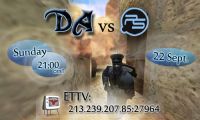
On 22 September 2013 we will have a Fun Fight between Dark Alchemy and Prime Squadron!
Do you want to see a great match between members of two communities? Want to look at the teamwork of the brave men and women? Curious about the winner? Comment the gameplay online with other viewers and join our ETTV server 213.239.207.85:27964 on Sunday 22 September 2013 at 21:00 CEST!

We're hoping for your presence! Keep your fingers crossed for the DA Team!
Source: dark-alchemy.com | prime-squadron.com
Activities event by Dark Alchemy
Published in
ET Scene
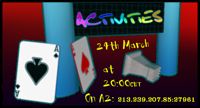
After last month we noticed that the players on our Server A1 are in better shape. Therefor we continue our sports event.
This month we have set up some activities to play - For example: Tennis, Golden Dunk, Chess, Poker.
All maps are dual objective. So no need to sit on the bench. We will see you on 24th of March at 20:00 CET on A2 (213.239.207.85:27961)
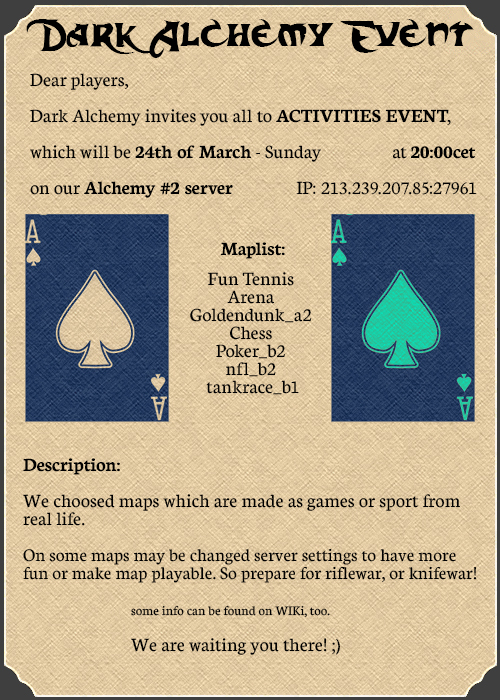
Nachdem wir im letzten Monat bemerkt haben, dass die Spieler auf unserem Server A1 besser in Form sind, setzen wir unsere sportliches Event (auf dem A2) fort.
Diesen Monat haben wir auf folgende Aktivitäten gesetzt - zum Beispiel: Tennis, Golden Dunk, Chess, Poker.
Es sind alles Dual-Objektiv-Maps. Also es besteht keine Notwendigkeit auf der Bank zu sitzen oder zu Campen. Wir sehen uns am 24. März um 20:00 Uhr MEZ auf dem Server A2 (213.239.207.85:27961)
Quelle: dark-alchemy.com
HFC & ETat ET SpooKy Night
Published in
ET Scene
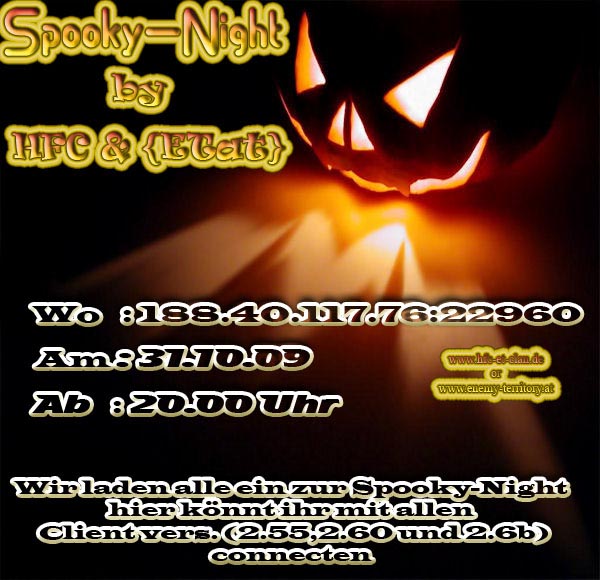 Auch der HFC und Clan läd herzlichst ein, zur Enemy Territory Halloween SpooKy Night!
Der Server kann mit allen ET Client-Versionen besucht werden.
Das Event startet am 31.10. ab 20.00 Uhr. Viel Spass!
Server IP: 188.40.117.76:22960
ET Lan Event - Return to Krefeld Battleground
Published in
ET Scene

Dear Wolfenstein: ET Community,
Many people have been messaging us lately, asking if the LAN event will happen. The community want us to make it happen and we are willing to host it for you. After the last newspost we did not get the response we'd hoped for, resulting in our long silence.
After having another internal conversation, we decided to try and make the event happen, for you, for us and for all those unforgettable moments, the offline events of this beautiful game. We have to pay the location in exactly one month, that being said, this is the final deadline!
We need exactly ten 6on6 teams and twelve 3on3 teams to make the event happen. If we can surprise ourselves and make it, the event will happen from November 2nd 2018 to November 4th 2018. We need the teams signed up and paid by August 30th 2018! Every 6on6 team pays 390€ (65€ per player) and every 3on3 team pays 105€ (35€ per player). We still have the location booked and would love to host the event and the needed seeding tournament.
The prize pool the teams are competing for will be 3160€!
We have reset the recruitment post, to give you all the chances to form or/and find teams. See >HERE<
You don't have a full team? No problem. Sign up for the event and you will be assigned to a team by the event organisers.
Greetings from Chosen, Ekto and stRay
Many thanks to:
Moe, for his donation of 550€ to the prize pool.
The three winning teams of the "ETernal Damage Cup", for their donation of 450€ to the prize pool.
Source: crossfire.nu | wolffiles.de
Wolfenstein.pl invites you!
Published in
ET Misc
We want to revive our server. Please help us, visit us and play with us. Thanks!
ET Server: |NO NAME SERVER|silEnT| IP: 193.33.177.19:26010
Facebook: facebook/WolfensteinPL
Website: wolfenstein.pl
Intake Gaming Cup
Published in
ET Scene

Hello and welcome to our FIRST Cup Series! as by request from quite a few people, we have a new cup.
This series is by s1LENT mod, and will be nothing else.
Date: Saturday/Sunday 3rd/4th, August
Time: First match start 13:00 EST, teams check in at 12:30 @ #intake-gaming
Participants: 16 teams
Format: 6on6, double elimination brackets
Mod: s1lent
Mappool:
- Supply
- Sp_delivery_te
- Frostbite
- Et_beach
- Sw_goldrush_te
- Braundorf_b4
- Et_ice
- Erdenberg_t3
- Adlernest
Before you are able to sign up, you need to go through the following steps:
1. Make an account on intake-gaming.com
2. Create a forum post (with team name) HERE
3. Post players country, name & silent guide
Sign up here!
Remember - all players need to be registered and added to your team on this website.
Source: wolffiles.de
PS Trickjump Introduction V
Published in
ET Scene

Prime Squadron Trickjump Introduction V - Everyone who is interested into trickjumping is invited to the TJ Introduction V. No matter if you are a beginner or a more experienced trickjumper, everyone is welcome! We're having a few instructors around to help you out and answer your questions 
Date: Sunday, 10th of August 2014
Time: 18:00 GMT+1
Server: PS #7 - IP: 178.63.72.111:27961
If you are already a experienced trickjumper, you can also apply as instructor to help beginners out. In case you want to be an instructor, just reply here as well, so I can add you to the list:
Instructors: icy, ckey, lawek, kowi, kalle, tbc.
I hope to see many of you guys around!
Source: prime-squadron.com
Download News
 COMPETITIVE HISTORY... COMPETITIVE HISTORY... | 09-02-20 |
| REMINISCENCE Final | 05-01-20 |
 RTCW SP VENOM MOD NVIDIA... RTCW SP VENOM MOD NVIDIA... | 21-07-19 |
| RTCW SP VENOM MOD 6.5 | 21-07-19 |
| SPLATTERLADDER ET HD PAC... | 21-07-19 |
| RTCW SP VENOM MOD 6.3 | 14-04-19 |
| RTCW SP VENOM MOD NVIDIA... | 14-04-19 |
 IORtCW 1.51C 1.51c IORtCW 1.51C 1.51c | 14-04-19 |
 ET ULTIMATE MAPPERS RESO... ET ULTIMATE MAPPERS RESO... | 14-04-19 |
| RTCW SP VENOM MOD NVIDIA... | 27-01-19 |
Download Charts
| KNIGHTMARE RTCW PATCH... | 91770 |
 RTCW 1.4 PACK BY REFLEX... RTCW 1.4 PACK BY REFLEX... | 38469 |
| RTCW REMAKE MOD - PART 1 O... | 22655 |
| RTCW SP OPEN GL FIX - WIN ... | 22453 |
| IORTCW PATCH WINDOWS 1.42b | 22064 |
| RTCW REMAKE MOD - PART 2 O... | 19210 |
| RTCW 1.4 MP PACK + KEYGEN... | 16498 |
| WOLFENDOOM - BLADE OF AGON... | 16458 |
| RTCW 1.0 PACK BY REFLEX... | 11130 |
| UNCUT PATCH GOLD FINAL... | 9538 |
- Comments
- Tags
- Calendar